
IT Service Africa

Technology

Digital Identity in Nigeria: What NIMC’s National Push Means for Business Security
Artificial Intelligence, Blogs, Tech Solution, Technology

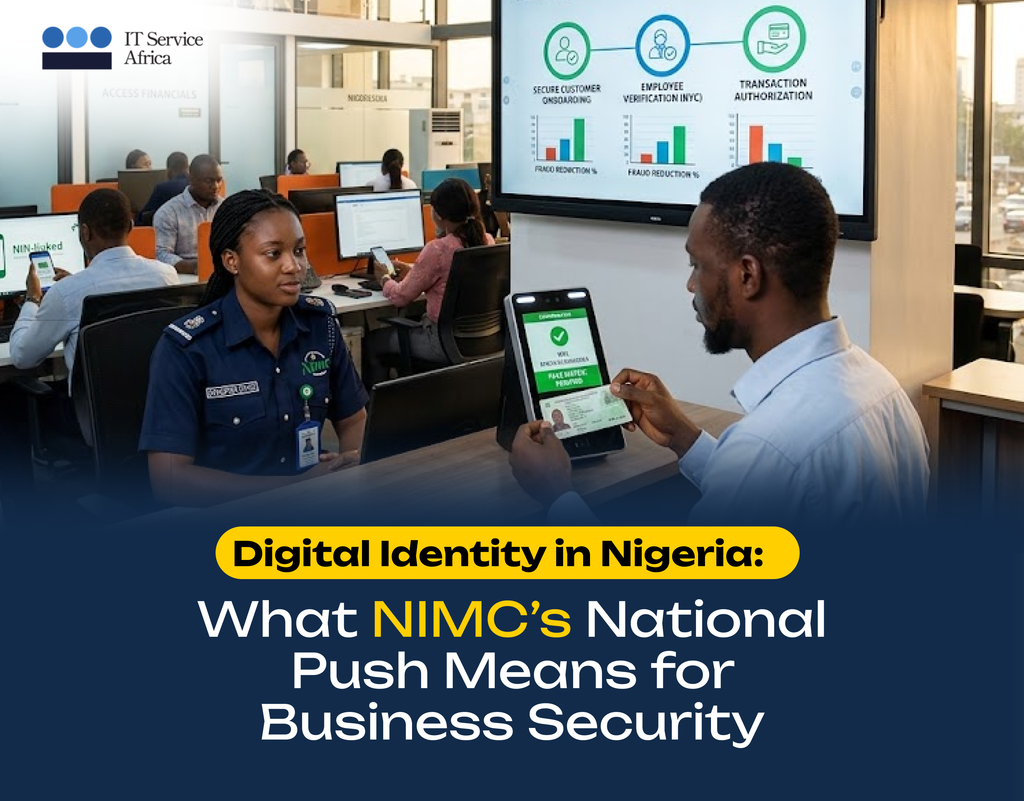
At Abuja’s ITGOV Nigeria 2026 summit, NIMC chief Abisoye Coker-Odusote warned that weak identity systems fuel financial crime, calling secure digital ID the foundation of modern economies. Why Identity Is Now a National Priority This isn’t abstract policy talk. Weak identity verification is a direct driver of fraud, account takeover, and unauthorized access — the same issues businesses across Nigeria fight every day. As the government strengthens the national identity ecosystem, internal standards for businesses are also rising. The Gap Between National Policy and Everyday Office Reality Here’s a disconnect worth searching “why does my business need access control” for: many companies are having the “secure identity” conversation at a national level while still running staff access on shared logins, unreturned ID badges, and manually tracked visitor logs on paper. If identity theft is a national security concern, it’s also a very real, very immediate business continuity concern. What a Modern Staff Digital Identity & Access System Looks Like ITSA’s Community Card unifies staff identity, facility access, and digital audit trails into one secure system. See how it works at itserviceafrica.com.


They Didn’t Hack Your System: They Hacked Your Staff

Artificial Intelligence, Device Health Management Services(DHMS), General Category, Tech news update, Tech Solution, Technology

The attacker never touched a server; it took just one email, one link, and one finance officer who thought she was logging into her company’s bank portal. Three transfers left the account and nobody saw it coming because no firewall stopped it and no code triggered an alert. Someone manipulated a person in under three minutes and walked away with everything they needed. This is social engineering, and right now, it is the most common way attackers are hitting Nigerian businesses. Stop picturing a hacker in a dark room writing code. The most effective attacks today skip your systems entirely and go straight for the person at the desk. Social engineering exploits trust, urgency, fear, and the human desire to be helpful. You cannot patch those qualities out of your team, as they are what make people good at their jobs, but attackers simply know how to use them. No firewall in the world stops an employee who genuinely believes they are following a legitimate instruction. Here Is What Attackers Are Actually Doing Right Now Why Nigerian Businesses Keep Falling for This This is not a criticism of Nigerian professionals, but rather an observation about how most Nigerian organisations operate. When the MD sends an urgent message, people respond immediately. When someone calls claiming to be from the bank, the instinct is to help quickly. Similarly, when a “new IT staff member” needs access to fix something urgently, turning them away feels obstructive. Attackers study these patterns and build their entire approach around them. The speed and deference that make organisations run efficiently are the exact same qualities that social engineering turns into a weapon. Training Your People Stops This: Nothing Else Will You cannot buy a tool that fixes this problem, as no software catches every manipulated human being. What works is teaching your team to pause and to treat urgency itself as a warning sign rather than a reason to move faster. They must learn to notice when a request feels slightly off, even if they cannot immediately explain why, and feel empowered to verify without worrying about being obstructive. ITSA’s security awareness training builds these habits across your entire team through structured programmes that change real behaviour, rather than one-off sessions people forget by the end of the week. We also run simulated phishing exercises so you can see the actual numbers—how many people click, what changes after training, and where the gaps remain. One trained person can stop an attack that no firewall would have caught, while one untrained person can undo everything. Which type does your team have more of right now? Book a security awareness session for your team today.  📧 support@itserviceafrica.com

The Most Expensive Device Is the One You Buy Twice

Blogs, Family, Technology

“I just need something cheap that works.” If you’ve ever said this before buying a laptop, a server, or a fleet of office computers, you’re not alone. Most businesses in Nigeria and across Africa start there, budget is tight, need is urgent and that shiny low-price tag feels like a win. Until it isn’t. Six months later, the hard drive fails, the fan sounds like a blender, “warranty” turns out to be a phone number that no one answers. Therefore, you buy again and suddenly, that “cheap” device cost you double in money, in downtime, and in the stress of explaining to your team why everything stopped working on a Tuesday afternoon. This is the hidden tax of buying cheap tech and it’s crushing more businesses than people admit. Why Cheap Tech Fails Faster in Africa? Here is something the global tech blogs won’t tell you: Budget devices are built for stable environments. Mild temperatures. Consistent power and Clean air. Nigeria’s reality? Voltage spikes, dust, heat and the occasional water issues. A laptop with a flimsy power circuit dies fast here. A business-grade machine with better thermal design, surge protection, and solid-state storage shrugs it off. Quality Isn’t About Brand Snobbery. This isn’t about buying Apple because it looks nice. It’s about understanding Total Cost of Ownership (TCO) — the full price you pay over a device’s life. TCO includes: When you run these numbers, quality usually wins. The device you buy once, use for years, and forget about, that is the real bargain. Three Questions to Ask Before Your Next Tech Purchase 1. What happens if this fails in 12 months? If the answer involves panic, lost work, and an unplanned expense, pause. 2. Who made this, and do they support it here? A no-name brand with no local service centre is a gamble. Enterprise brands (HP, Dell, Lenovo) have parts and technicians in Nigeria. 3. What is my time worth? Every hour you or your team spends fixing cheap tech is an hour not spent on revenue, customers, or growth. Factor that in. The Smarter Way to Stretch Your Budget If cash flow is tight and it often is, you don’t have to choose between cheap and good. Consider: Final Thought There’s a reason the phrase “penny wise, pound foolish” has survived centuries. It describes this exact situation. The most expensive device you will ever own is the one you buy twice. The second purchase comes with frustration, embarrassment, and the bitter realisation that you knew better. Buy once. Buy right. Sleep better.

How Bespoke Software helps Businesses Work Smarter & Grow: Part 3

Artificial Intelligence, Blogs, Family, Technology

By now, Tunde and Ada had taken the leap. After months of working around disconnected systems and manual processes, they finally had something new in place, which is a software designed specifically for how their businesses operate. And the difference showed up faster than they expected. For Tunde, the constant phone calls from drivers started to disappear. Routes, deliveries, and updates were all tracked in one system. Drivers could see their assignments instantly, and customers could receive real-time updates without needing to call the office. What used to feel chaotic now felt… organised. His team spent less time chasing information and more time actually delivering great service. For Ada, the biggest relief was visibility. Inventory, orders, and sales were finally connected. Instead of reconciling numbers across multiple systems every week, everything is updated automatically in one place. The hours she once spent fixing errors could now be spent improving operations and planning the company’s next move. And that’s often the real impact of bespoke software. It does not just improve systems; it changes how a business operates. Teams move faster.Decisions become clearer.Growth becomes easier to manage. What once felt like constant problem-solving turns into smooth, reliable processes that support the business instead of slowing it down. For companies like Tunde’s and Ada’s, bespoke software isn’t about having something fancy or complex. It is about having tools that finally fit the way they work. The Bigger Picture Every business grows in its own way, and the systems supporting it should grow too. That is why more organisations are turning to bespoke software development, which are solutions designed around their goals, workflows, and future plans. Because when the right systems are in place, businesses do not just run better they move forward with confidence. Ready to build software that truly works for your business? At IT Service Africa, we design and develop bespoke software solutions that help organisations streamline operations, improve efficiency, and scale with ease. Let us build something that works for you. 

How Bespoke Software Helps Businesses Work Smarter and Grow : Part 2

Blogs, General Category, Technology

Part 2: A Look Behind the Scenes of Custom Software Creation In Part 1, we met Tunde and Ada who are two business leaders dealing with systems that almost work. Eventually, both of them ask the same question many growing companies ask: “If we build custom software… where do we even start?” The answer is usually much simpler than they expect. The first step is not coding. It is a conversation. When businesses begin exploring bespoke software, the real focus is on understanding how things actually work day-to-day: where time gets lost, where systems break down, and where teams repeat the same manual tasks. This is called ‘Current State Analysis’. For Tunde, the biggest issue was not deliveries; it was communication. Drivers, dispatchers, and customers were all working with different information. For Ada, the challenge was disconnected systems. Inventory, sales, and operations were all living in different platforms. Once those challenges are clear, the next step is designing a system that fits the business, not the other way around. Sometimes that means one unified platform.Sometimes it means connecting existing systems so they work together better. This is called “System Harmonization” Either way, the goal is the same: make work simpler, faster, and easier for the people using the system every day. And the good news? Building bespoke software does not mean flipping a giant switch overnight. The process usually happens step by step, improving things gradually without disrupting the business, otherwise termed ‘Incremental Improvement’. For Tunde and Ada, that is exactly what makes the idea less intimidating. Instead of changing everything about how their teams work, the software is designed to support the processes they already know, just in a smarter way. Coming in Part 3 So what happens once the right system is finally in place? In Part 3, we’ll see how Tunde and Ada’s businesses change once their software starts working for them, not against them. And the results might surprise you… Curious about what bespoke software could do for your business… At IT Service Africa, we work closely with businesses to design software that fits their unique workflows and goals, turning complex processes into seamless systems. Stay tuned for Part 3. 

The Right IT Setup Makes Everything Easier (Here’s Why)

Blogs, Technology

When a business grows, technology quietly becomes the backbone of everything that is communication, operations, data, security, and productivity. But here’s the thing: if the IT infrastructure behind the scenes isn’t set up properly, even the best teams and tools can struggle. Slow systems, unreliable networks, and constant troubleshooting are often signs that the foundation was never built with the business in mind. That’s where thoughtful IT infrastructure setup comes in. At IT Service Africa, IT infrastructure isn’t treated as just plugging in devices and connecting cables. It’s about designing a technology environment that actually supports the way your business works. So, think of it like building a house. You wouldn’t start decorating before the structure is solid. The same goes for IT. Before software, automation, or cybersecurity can work effectively, the underlying infrastructure needs to be stable, secure, and scalable. A well-designed IT infrastructure includes everything from reliable networks and servers to secure cloud systems, structured data storage, and integrated devices. When these elements are properly designed and deployed, something interesting happens: technology stops getting in the way. Teams collaborate faster, Systems run smoothly and Data becomes easier to manage. Instead of reacting to IT problems, businesses can actually focus on growth. Another important factor is scalability. Many companies set up IT for today’s needs, but not for tomorrow’s growth. As businesses expand, their systems struggle to keep up. A good infrastructure plan anticipates that growth from the beginning, ensuring that new users, new locations, and new tools can be added without disruption. Security also plays a major role. A strong infrastructure setup ensures that networks, devices, and data are structured in a way that reduces vulnerabilities before they become risks. In simple terms, good infrastructure makes everything else work better. At IT Service Africa, our experts design and deploy IT infrastructures that are customized to the unique needs of each business. Whether it’s a new setup, an upgrade, or a complete redesign, the goal is always the same: create systems that are reliable, secure, and ready to support long-term growth. Because when the foundation is strong, everything built on top of it works better. Call to Action If your business is planning to scale, upgrade systems, or simply reduce everyday IT headaches, the right infrastructure makes all the difference.

Is Your Wi-Fi Secure? Why Cybersecurity Matters at Home and at Work

Blogs, Technology

A lot of people think cybersecurity is only a big-company problem. Servers, data centers, corporate networks…that sort of thing. But the truth is much simpler (and a little closer to home). If you use a phone, laptop, Wi-Fi, online banking, or even a smart TV… cybersecurity is already part of your life. The same risks that affect companies can affect families too. The only difference is the scale. At home, a weak password or an unsecured network can expose personal photos, banking details, or private conversations. At work, the same small mistake can expose customer data, disrupt operations, or bring systems to a halt. Here is the interesting part: most cyber incidents do not start with some dramatic Hollywood-style hacking scene. They start with very ordinary things like a suspicious email, a reused password, or a click on the wrong link. That is why cybersecurity today is less about panic and more about good habits. Simple steps make a huge difference: For families, these habits help protect personal lives and digital privacy. For companies, they protect operations, customers, and reputation. In both cases, cybersecurity is really about peace of mind, knowing your digital world is protected so you can focus on everything else. At IT Service Africa, cybersecurity is not just about tools and software. It is about helping people and businesses build safer digital environments through smart protection, monitoring, and proactive security practices. Because in today’s connected world, protecting your systems means protecting the people who rely on them. Take Action Whether it is securing your business systems or strengthening your organization’s digital defenses, IT Service Africa helps you stay one-step ahead of cyber threats. Let us make security simple, smart, and reliable.

From Procurement to Performance: How the Right Devices Improve Productivity

Blogs, Device Health Management Services(DHMS), Managed Services, Repair tips, Tech Solution, Technology

It usually starts off small… A laptop that takes too long to boot,a battery that never quite lasts the workday, and,a system update that breaks an important application. No one files a complaint. People just work around it. Over time, these small workarounds add up, resulting in slower tasks, missed focus, and unnecessary frustration. Productivity does not drop suddenly; it quietly leaks away. Most of the time, the root cause is not the people or the process, but the tools they are using. When devices get in the way, even simple tasks feel harder than they should. Meetings start late. Files take a longer time to load. Support requests have become routine. It is not dramatic, but it is costly. Good device procurement can change this. It begins with an understanding of how people work. Different roles have different needs, and choosing devices based on real usage, not just price, allows work to flow naturally. The right device in the right role removes friction instead of creating it. Consistency is also important. Standardized devices make setup faster, support easier, and security stronger. Employees spend less time figuring out why something works on one system and not another, and more time focused on delivering results. When devices work reliably, people stop thinking about them. They focus on their tasks, goals, and customers. This quiet reliability is what turns hardware from a recurring issue into a genuine productivity driver. At IT Service Africa, device procurement is approached with this mindset, helping businesses equip their teams with tools that support performance, security, and long-term value. Are you ready to turn your everyday devices into productivity drivers?Contact IT Service Africa to discuss procurement solutions designed for performance.

Hidden Costs of Poor Device Management You Should Avoid in 2025

Device Health Management Services(DHMS), Technology

As we enter 2025, technology continues to be the backbone of professional and personal life. However, poorly managed devices—whether in a corporate IT setup or a family ecosystem—can create unexpected costs beyond dollars and cents. Here\’s what you need to watch out for: 1. Productivity Drains For Your Organization: Employees struggling with outdated, slow, or unsecured devices waste hours on what should be seamless tasks, which compounds into significant output losses. For Your Family: When personal devices are cluttered or prone to crashes, simple tasks like online learning or managing household schedules become frustrating hurdles.   2. Security Breaches For Your Organization: Poor device management is a hacker’s playground. Weak updates, unauthorized apps, and untracked devices open doors to data leaks, lawsuits, and reputational damage. For Your Family: Personal photos, financial information, and even smart home systems are at risk if devices lack proper security protocols. 3. Financial Costs For Your Organization: Neglecting preventive maintenance often results in frequent device replacements and inflated IT expenses. For Your Family: Failing to manage warranties, backups, and updates can lead to avoidable expenses like data recovery or new purchases. 4. Emotional Stress For Everyone: Whether it’s an employee struggling to meet deadlines due to tech hiccups or a parent trying to fix a frozen laptop during family movie night, the frustration is real—and unnecessary. 5. Environmental Impact For Organizations and Families alike: Improper device disposal and excessive replacements contribute to e-waste, a pressing global challenge.   Solutions for 2025 and Beyond Centralized Management: Businesses can use tools like Device Health Management Service (DHMS)  platforms, while families can leverage apps to track and optimize their devices. Regular Maintenance: Schedule updates, backups, and health checks. Educate Users: Train employees and teach family members about best practices for device use and security. Sustainability Mindset: Donate, recycle, or repurpose old devices responsibly.   Embrace smarter device management to save time, money, and peace of mind, ensuring your 2025 is smooth and secure, whether you\’re running a company, a household, or just your own space.

10 Effective Fixes for a Sluggish Laptop: Tips to speed up your Laptop

Device Health Management Services(DHMS), Repair tips, Technology

Written by: Justina Nwokedi and Edited by: Joshua Babatope   Is your laptop running slower than usual? Using a laptop moving at a snail’s pace can be frustrating as it affects your work productivity – it can take you hours to get done with what can be done in 30 minutes. If your computer is experiencing a slow, here are some top fixes to help you get your laptop back up to speed.   10 Simple Ways To Fix a Sluggish Laptop   Optimize Your Web Browser: While surfing the net you notice that most times your laptop slows down. If this happens consistently, you have to consider optimizing your web browser. More so, regularly clearing cache, cookies and browser history can help resolve the issue of your laptop slowing down while browsing the internet. At the same time, always disable unnecessary plugins and browser extensions consuming system resources. Click here for more device optimization tips.   Update Your Operating System and Software: We are always reluctant to update our operating system and software because we feel it takes time. Because of this, we quickly look for the  \”remind me later\” option, and it takes us days, weeks, and even months before we update our system software. Here’s the risk – Outdated operating systems and software can cause performance issues. Verify that the applications and operating systems on your laptop are up to date. Install updates as soon as they\’re released and make sure to check for them often. Read more on how to set up your operating system.   Increase Random Access Memory (RAM): Your laptop may slow down if it has insufficient RAM, especially if you\’re using many apps at once. If you want to enhance multitasking and general performance, consider boosting your RAM.   Clean Up Your Hard Drive: Most of us are guilty of this act – it takes most active PC users ages to clean up their device\’s Hard drive. The performance of your laptop might be significantly affected by an overloaded hard drive. To make disc space available, remove temporary files, pointless files, and unwanted applications. You can save time by automating this process. Consider using a disc cleanup solution for automation.   Disable Startup Programs: Launching multiple programs at once is something we enjoy doing, right? But, here’s the fact: The boot time of your laptop may be slowed down if it has too many programs set to run at startup. However, to increase boot time and utmost laptop performance, disable pointless startup programs. Moreso, use the System Configuration tool or Task Manager to accomplish this.   Adjust Power Settings: Another way to fix a laptop moving at a snail’s pace is optimizing performance by adjusting the power settings on your laptop. To make sure your laptop is performing at its best, switch to a high-performance power plan.   Defragment Your Hard Drive: The files on your hard disc may become scattered over time due to frequent use; this means that the files are not kept in a continuous sequence but rather in separate locations. A Laptop\’s performance may be slowed down by this fragmentation. Your operating system\’s built-in disc defragmentation programme can help you with this problem. By rearranging fragmented data on your hard disc, this utility enhances performance by efficiently organizing it.   Upgrade Your Storage Drive: If your laptop is still using a traditional hard disc drive (HDD), think about switching to a solid-state drive (SSD). SSDs can greatly enhance overall performance, and provide faster read/write speeds.   Check for Malware and Viruses: Make sure your laptop is regularly virus- and malware-free. Using reputable antivirus software to do a thorough system check and identify and eliminate any dangerous programs that might be slowing down your device is one approach to achieve this.   Perform a System Restore: If none of the aforementioned fixes resolve the issue, you might need to do a system restore to get your laptop back to its optimal condition. Before you begin with a system restore, make sure you have a backup of your most important files.   Conclusion In conclusion, implementing these ten practical solutions can help restore your laptop to peak performance. After attempting these fixes, if your performance problems persist, it might be time to speak with an expert IT technician like IT Service Desk Africa to help you get your laptop moving at lightning speed.  

Scroll to Top